

In this post
When someone searches for a "dentist near me" or "printing press Satyana Road", Google shows a map with three businesses above the normal results. Getting into that map brings in calls, and this local SEO checklist covers what to do. You can handle most of it yourself without spending anything.
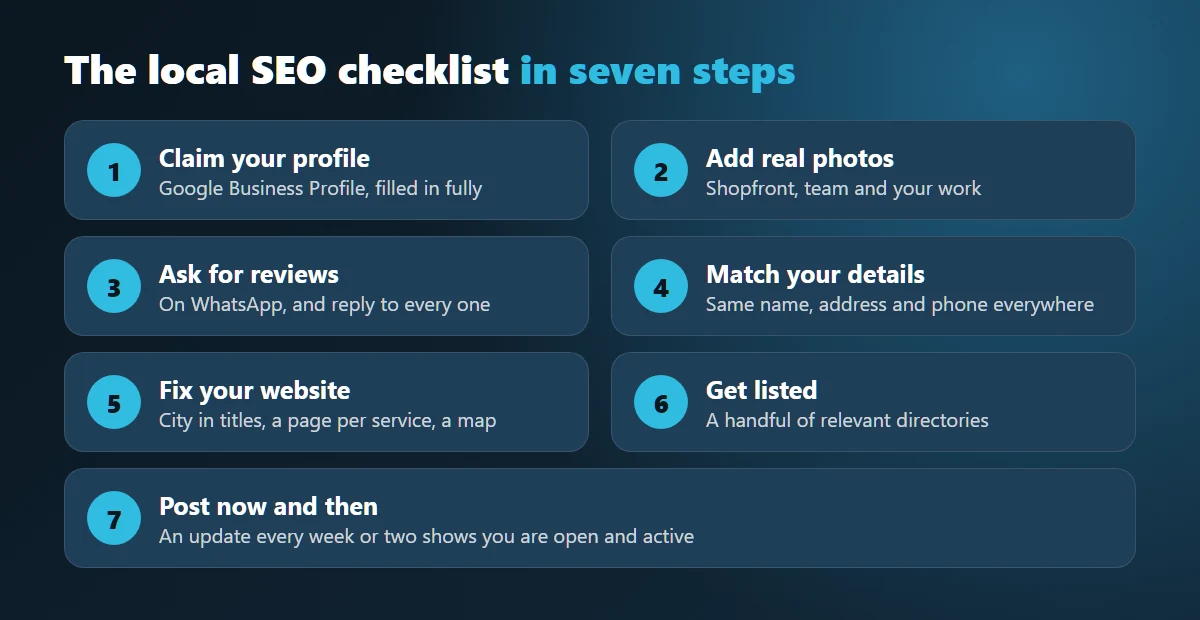
How to use this local SEO checklist
Work through the steps in order, because the first few make the biggest difference. Tick off what you have already done, and come back to the rest when you have a free hour. A local SEO checklist only helps if you actually finish it, so do not try to do everything in one sitting.
1. Claim your Google Business Profile
This matters more than anything else on the list. Go to Google Business Profile, search for your business and claim it, or create it if it does not exist. Then fill in everything:
- Your business name, exactly as it appears on your signboard. Do not add keywords to it, as this can get your profile suspended.
- The most accurate main category you can find, then a few secondary ones.
- Your correct location on the map. Drag the pin if necessary, because addresses in Pakistan can be confusing for Google.
- Opening hours, including changes during Ramadan.
- Your phone number and your website.
2. Add real photos
Take photos of your shopfront, your team and your work on your phone. People want to know what the place looks like before they travel there, and a clear picture of your entrance helps them find it. Skip the stock photos.
3. Ask for reviews
Most happy customers will leave a review if you ask, but few will think of it on their own. Send them the review link on WhatsApp right after the job, while they are still pleased. A short personal message works better than a formal one.
Reply to every review, including the bad ones. A calm reply to an unhappy customer can do more for your reputation than ten five-star ratings. Do not buy fake reviews, because Google can remove them and your customers can often tell.
4. Keep your details the same everywhere
Your business name, address and phone number should match on your website, your Facebook page, your Google profile and any directories. If one page shows an old phone number, fix it. Mismatched details make it harder for Google to trust your listing, and they can send customers to a dead number.
5. Fix the basics on your website
- Mention your city and your service in the page title and main heading. Plenty of local businesses never actually write their city name on their homepage.
- Give each main service its own page instead of listing everything on one.
- Put your phone number and a WhatsApp button where people can tap them on a phone.
- Embed a Google Map on your contact page.
- Check how the site loads on your own phone, using mobile data rather than office Wi-Fi.
6. Get listed in a few relevant places
Add your business to reputable directories and trade associations in your industry. Being a member of your local Chamber of Commerce or a sector body, for instance, can get you a useful link. You only need a handful of relevant ones. Avoid anyone selling hundreds of directory links for a low price.
7. Post something now and then
Google Business Profile lets you publish updates, offers and photos. A post every week or two shows people that you are open and active. Keep it simple: a recent project, a new product or a seasonal offer.
How long does it take?
Local results can improve within a few weeks in less competitive trades, while busy categories take longer. Your location relative to the person searching also plays a role, and you cannot control that. Keep collecting reviews and you will usually gain ground over time.
If you would rather hand this over, have a look at our SEO services, or send us a message and we will tell you what we would fix first.
Common questions
How long does local SEO take?
Local results can improve within a few weeks in less competitive trades. Busy categories take longer, and the distance between your business and the person searching also plays a part.
Is Google Business Profile free?
Yes. Creating and managing the profile costs nothing. You only need a Google account and a way to verify that the business is yours.
Do I need a website for local SEO?
You can appear on the map without one, but a website helps. It gives Google more to read about your services, and it gives customers somewhere to check you out before they call.
